CT600 Box 315: Capital Allowances Explained
Capital allowances let you deduct the cost of business assets from your taxable profits. Box 315 is where these allowances are reported on your CT600.
What is Box 315?
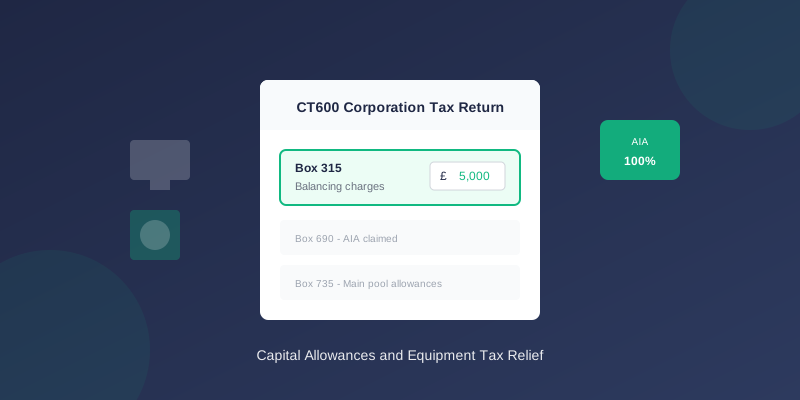
Box 315 on the CT600 is typically labelled "Balancing charges" - but the capital allowances section includes multiple boxes (315-340) for different aspects of capital allowances.
The key capital allowances boxes are:
| Box | Description |
|---|---|
| 315 | Balancing charges |
| 690 | Annual Investment Allowance (AIA) claimed |
| 700-735 | Pool allowances |
What Are Capital Allowances?
Capital allowances replace depreciation in your tax calculation:
- Accounting: You depreciate assets over their useful life
- Tax: You claim capital allowances instead
Types of Capital Allowances
Annual Investment Allowance (AIA)
The main relief for most businesses:
- 100% deduction in year of purchase
- Current limit: £1,000,000 per year
- Most plant and machinery qualifies
- Cars do NOT qualify
Writing Down Allowance (WDA)
For assets not covered by AIA or exceeding the limit:
| Pool Type | Rate | Assets Included |
|---|---|---|
| Main pool | 18% | Most equipment |
| Special rate pool | 6% | Integral features, long-life assets |
First Year Allowances (FYA)
100% allowance for specific assets:
- Electric vehicles (100%)
- Zero-emission goods vehicles
- Energy-efficient equipment
Balancing Allowances and Charges
When you sell an asset:
- Balancing allowance: Sale proceeds less than tax value (further relief)
- Balancing charge (Box 315): Sale proceeds exceed tax value (taxable)
How Capital Allowances Work
Example: Buying Equipment
Purchase:
- Equipment cost: £50,000
- Claim AIA: £50,000 (100%)
- Tax relief: £50,000 × 25% = £12,500 saved
Example: Selling Equipment
Sale:
- Original cost: £50,000
- AIA claimed: £50,000
- Tax value: £0
- Sale price: £15,000
You claimed relief on £50,000 but only lost £35,000 (cost minus sale price), so £15,000 comes back into profits.
Calculating Capital Allowances
Step 1: Identify Qualifying Expenditure
Assets that qualify for capital allowances:
Qualifies:
- Computers and IT equipment
- Office furniture
- Machinery and tools
- Commercial vehicles
- Equipment for trade
- Land and buildings (different rules)
- Cars (limited allowances)
- Assets for non-business use
Step 2: Claim AIA First
Up to £1,000,000 can be claimed as AIA:
``` Equipment purchased £80,000 AIA claimed £80,000 Remaining for pool £0 ```
Step 3: Calculate Pool Allowances
For amounts exceeding AIA:
``` Pool brought forward £20,000 Additions (no AIA) £10,000 Total £30,000 WDA at 18% £5,400 Pool carried forward £24,600 ```
Step 4: Handle Disposals
When you sell assets:
``` Pool before disposal £24,600 Sale proceeds £30,000 Excess (balancing charge) £5,400 ← Box 315 ```
Box 315 Specifically
Box 315 is for balancing charges only:
Enter in Box 315 when:
- You sell an asset for more than its tax value
- Your main pool goes negative
- You dispose of a single asset pool at a gain
- The excess of sale proceeds over the pool value
- This amount is added to your taxable profits
Capital Allowances for Cars
Cars have special rules:
| CO2 Emissions | Treatment |
|---|---|
| 0g/km (electric) | 100% FYA |
| 1-50g/km | Main pool (18% WDA) |
| Over 50g/km | Special rate pool (6% WDA) |
Car Example
Purchase: £30,000 petrol car (120g/km CO2):
- Pool: Special rate (6%)
- Year 1 allowance: £30,000 × 6% = £1,800
- Pool carried forward: £28,200
- Pool value: ~£24,900
- Sale proceeds: £15,000
- Balancing allowance: £9,900 (extra relief)
Private Use Adjustment
If assets have personal use:
``` Equipment cost £10,000 AIA (full) £10,000 Private use: 20% £2,000 Net allowance £8,000 ```
The private use portion is added back.
Common Mistakes
1. Claiming AIA on Cars
Wrong: £25,000 car in AIA claim Right: Cars go to main or special rate pool
2. Exceeding the AIA Limit
Wrong: Claiming £1,200,000 AIA Right: Maximum is £1,000,000 (pro-rated for short periods)
3. Missing Balancing Charges
Wrong: Not reporting Box 315 when selling assets Right: Calculate and include any balancing charges
4. Wrong Pool Rates
Wrong: Using 18% for integral features Right: Integral features use 6% special rate pool
When Using TinyTax
TinyTax supports Annual Investment Allowance (AIA) claims for plant and machinery. You enter your capital expenditure and the software calculates the allowance.
For companies with complex capital allowances needs — multiple pools, balancing charges on disposals, or special rate assets — you may need to calculate the allowances separately and enter the figures directly.
Related Articles
- Capital Allowances on CT600: Complete Guide
- HMRC Error 9288: AIA Limit Exceeded
- CT600 Boxes Explained: Understanding Every Field
Need Help?
Capital allowances can significantly reduce your tax bill. TinyTax supports AIA claims and helps you file your CT600.
Start Your CT600 Filing →