CT600 Box 165: Trading Profits Explained
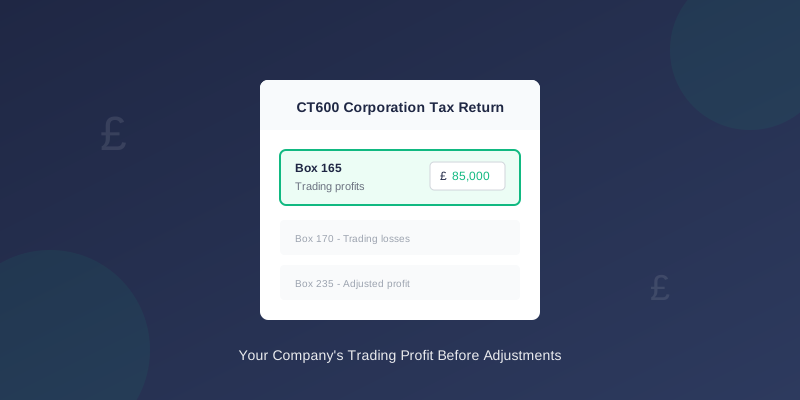
Box 165 is where you report your company's net trading profits on the CT600. This guide explains what goes in this box and how to calculate the figure correctly.
What is Box 165?
Box 165 on the CT600 is labelled "Net trading profits" (or "Trading profits" on some versions).
This box shows your company's profit from trading activities before:
- Tax adjustments (add-backs and deductions)
- Capital allowances
- Loss reliefs
What Goes in Box 165?
Include:
- Profit from your main trading activity
- Profit from other trading activities
- Trading income from all sources
- Investment income
- Property rental income (goes in Box 190)
- Bank interest received
- Capital gains
- Non-trading loan relationship income
How to Calculate Box 165
Step 1: Start with Your P&L Profit
Take the profit before tax from your profit and loss account:
``` Turnover (sales) £500,000 Less: Cost of sales (£200,000) Gross profit £300,000 Less: Operating expenses (£180,000) Operating profit £120,000 ```
Step 2: Remove Non-Trading Items
Remove any items that aren't from trading:
``` Operating profit £120,000 Less: Bank interest received (£2,000) Less: Rental income (£5,000) Net trading profit £113,000 ← Box 165 ```
Bank interest and rental income are reported separately.
Step 3: Enter in Box 165
Enter the net trading profit figure in Box 165.
Box 165 vs Other Boxes
Understanding how Box 165 relates to other boxes:
| Box | Description | Difference from Box 165 |
|---|---|---|
| 145 | Turnover | Gross sales, not profit |
| 155 | Gross profit | Before operating expenses |
| 160 | Net trading profit | Same as 165 in many cases |
| 165 | Trading profits | The standard trading profit box |
| 235 | Adjusted trading profit | After tax adjustments |
Box 160 vs Box 165
Boxes 160 and 165 can appear similar. The key difference:
- Box 160: Net trading profits (specific trade)
- Box 165: Trading profits (may combine multiple trades)
Common Mistakes
1. Including Non-Trading Income
Wrong: Including bank interest or rental income in Box 165
Right: Report bank interest in Box 175 or 180, rental income in Box 190
2. Using Taxable Profit Instead
Wrong: Entering the adjusted profit (after add-backs)
Right: Enter the accounting profit from your P&L, tax adjustments come later
3. Including Capital Items
Wrong: Including profit from selling assets
Right: Capital gains go in Box 195 or the capital gains section
4. Missing a Trade
Wrong: Only including profit from one trade when you have multiple
Right: Include all trading profits, or break down by trade
Example Calculations
Example 1: Simple Trading Company
Profit and Loss:
- Turnover: £150,000
- Cost of sales: £60,000
- Gross profit: £90,000
- Admin expenses: £40,000
- Operating profit: £50,000
Example 2: Company with Investment Income
Profit and Loss:
- Turnover: £200,000
- Cost of sales: £80,000
- Gross profit: £120,000
- Admin expenses: £60,000
- Operating profit: £60,000
- Bank interest received: £1,500
- Profit before tax: £61,500
Example 3: Trading Loss
If your company made a loss:
Profit and Loss:
- Turnover: £100,000
- Cost of sales: £50,000
- Gross profit: £50,000
- Admin expenses: £70,000
- Operating loss: (£20,000)
Losses go in Box 170, not as a negative in Box 165.
When Box 165 is Zero
Box 165 should be zero or blank when:
- Your company made a trading loss (use Box 170 instead)
- Your company is dormant
- Your company has only non-trading income
What Happens Next
After Box 165, the CT600 calculation continues:
- Box 165 - Trading profits (accounting basis)
- Add-backs - Disallowed expenses added
- Deductions - Tax reliefs deducted
- Box 235 - Adjusted trading profit (tax basis)
- Box 410 - Profits chargeable to Corporation Tax
Tax Adjustments That Come Later
These adjustments happen after Box 165:
Added back (increase taxable profit):
- Entertaining costs
- Depreciation
- Personal expenses
- Fines and penalties
- Capital allowances
- Patent box relief
- R&D enhanced deduction
When Using TinyTax
TinyTax automatically:
- Calculates Box 165 from your trial balance
- Separates trading from non-trading income
- Identifies items that need reclassifying
- Shows you exactly how Box 165 was calculated
Related Boxes
If you're filling in Box 165, you'll likely also need:
Related Articles
- CT600 Boxes Explained: Understanding Every Field
- How to File a CT600 Online: Step-by-Step Guide
- CT600 Corporation Tax Return: Complete UK Filing Guide
Need Help?
Calculating your trading profits correctly is essential for accurate Corporation Tax. TinyTax guides you through the calculation, ensuring Box 165 and related boxes are filled correctly.
Start Your CT600 Filing →