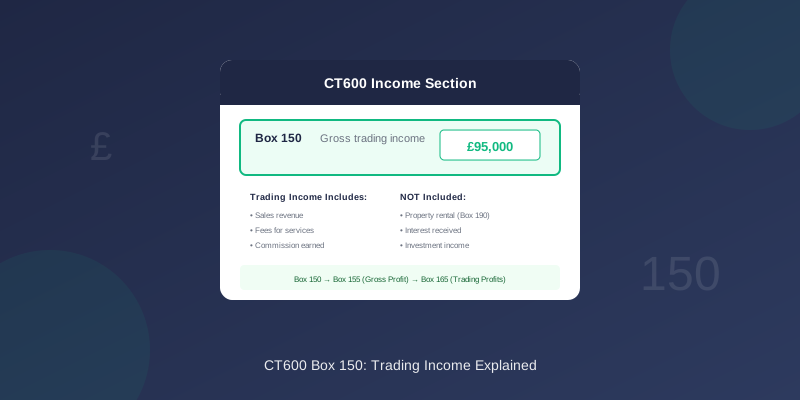
CT600 Box 150: Trading Income Explained
Box 150 on the CT600 is for your gross trading income. This is a key figure that forms the basis of your tax calculation.
What Goes in Box 150?
Box 150 captures your total trading income before deducting costs. This includes:
- Sales revenue
- Fees for services
- Commission earned
- Other trading receipts
This figure comes from your profit and loss account, before deducting any expenses.
Trading Income vs Turnover
Box 150 (Trading Income) is related to but can differ from Box 145 (Turnover):
| Box | Contents |
|---|---|
| 145 | Turnover - your headline sales figure |
| 150 | Gross trading income - may include other trading receipts |
- Sundry trading income
- Income from trading activities not counted in turnover
- Adjustments for tax purposes
What Counts as Trading Income?
Included in Box 150
- Sales of goods
- Fees for professional services
- Commissions earned
- Construction contract income
- Work in progress movements (if trading)
- Trading grants received
NOT Included in Box 150
- Investment income (goes in other boxes)
- Property rental income (Box 190)
- Interest received (separate treatment)
- Capital gains (different calculation)
- Dividends received (not taxable)
How to Calculate Box 150
From Your Accounts
- Start with your sales/revenue figure
- Add any other trading income
- This is your gross trading income for Box 150
Example Calculation
ABC Consulting Ltd - Year to 31 March 2024
| Item | Amount |
|---|---|
| Consulting fees | £95,000 |
| Training income | £5,000 |
| Sundry trading income | £1,200 |
| Box 150 Total | £101,200 |
Relationship to Other Boxes
Box 150 feeds into the profit calculation:
``` Box 150 (Trading Income)
- Cost of sales
- Expenses
The Flow of Figures
| Box | Description | Calculation |
|---|---|---|
| 145 | Turnover | From accounts |
| 150 | Trading income | From accounts |
| 155 | Gross profit | Income - Cost of sales |
| 160 | Net trading profit | Gross profit - Expenses |
| 165 | Trading profits | Net profit ± adjustments |
Common Scenarios
Service Business
For a consulting or professional services company:
- Trading income = Fees billed
- Cost of sales = Direct costs (subcontractors, materials)
- Gross profit = Fees - Direct costs
- Consulting fees invoiced: £85,000
- Box 150: £85,000
Product Business
For a company selling goods:
- Trading income = Sales
- Cost of sales = Purchase cost of goods sold
- Gross profit = Sales - Purchases (adjusted for stock)
- Product sales: £150,000
- Box 150: £150,000
Mixed Income
If you have trading and non-trading income:
- Trading income only goes in Box 150
- Property income goes in Box 190
- Investment income has separate treatment
- Consulting fees: £70,000 (Box 150)
- Rental income: £12,000 (Box 190)
- Interest: £500 (not in Box 150)
Accruals vs Cash
For Corporation Tax purposes, use the accruals basis:
- Include income when earned, not when received
- This matches your statutory accounts
- Invoiced work counts even if unpaid
Common Mistakes
1. Including Non-Trading Income
Property rental, interest, and investment income shouldn't be in Box 150. These have separate boxes.
2. Using Net Figures
Box 150 is gross income before expenses. Don't deduct costs here - that comes in later boxes.
3. Cash vs Accruals Mismatch
Use accruals figures from your accounts, not bank receipts. The CT600 follows accounting profit, not cash flow.
4. Excluding Minor Income
Include all trading income, even small sundry amounts. Missing income could trigger queries.
Zero Trading Income
If your company had no trading income:
- Box 150 = £0
- Still complete other applicable boxes
- Property companies may have Box 150 = £0 but Box 190 with figures
When Using TinyTax
TinyTax calculates Box 150 from the figures you enter:
- Enter your trading income in the income section
- Specify any non-trading income separately
- TinyTax populates Box 150 correctly
- Review in the CT600 preview
Related Articles
- CT600 Box 145: Turnover
- CT600 Box 155: Gross Profit
- CT600 Box 165: Trading Profits
- CT600 Boxes Explained
Need Help?
TinyTax guides you through entering your income and automatically calculates Box 150 and related figures. Just enter your trading income and the software handles the rest.
Start Your CT600 Filing →