What Is the Cheapest CT600 Software?
If you are a small limited company director managing your own filing, cost is a natural starting point when comparing CT600 software. But "cheapest" can mean different things depending on what your company needs — and the lowest headline price does not always mean the lowest total cost.
This guide walks through the cheapest CT600 filing options available, what is included at each price point, and what to watch for when choosing based on cost alone.
What CT600 Software Actually Needs to Do
To file a company tax return with HMRC, your software must handle three things:
- Generate a CT600 — the tax return form, populated with your company's figures and calculations
- Produce iXBRL accounts — the digital version of your company accounts, required for all but dormant companies
- Submit both to HMRC — via the HMRC API gateway
Free CT600 Filing Options
HMRC's CT600 Filing Service
HMRC historically offered a free online service for CT600 filing. However, HMRC is closing this service, and it has already been withdrawn for many companies. Even while it was active, it had significant limitations — it did not generate iXBRL accounts, meaning companies using it needed a separate accounts solution anyway.
For more on what is replacing it, see our guide to HMRC's CT600 online service.
Free Third-Party Software
Some commercial providers offer genuinely free filing, including iXBRL accounts generation. These tools are typically designed for small, straightforward companies — particularly micro-entities and dormant companies.
Free software tends to work well when:
- Your company is dormant (no trading activity during the period)
- Your company qualifies as a micro-entity (small balance sheet, low turnover, few employees)
- You have no complex reliefs — no R&D credits, no substantial capital allowances, no losses carried forward
- Your accounting period is a standard 12 months
Budget Paid Options
For companies that need more than basic free filing, low-cost paid software is often the right choice. Not all budget tools are equal, though. When comparing lower-cost options, check whether these features are included:
| Feature | Why it matters |
|---|---|
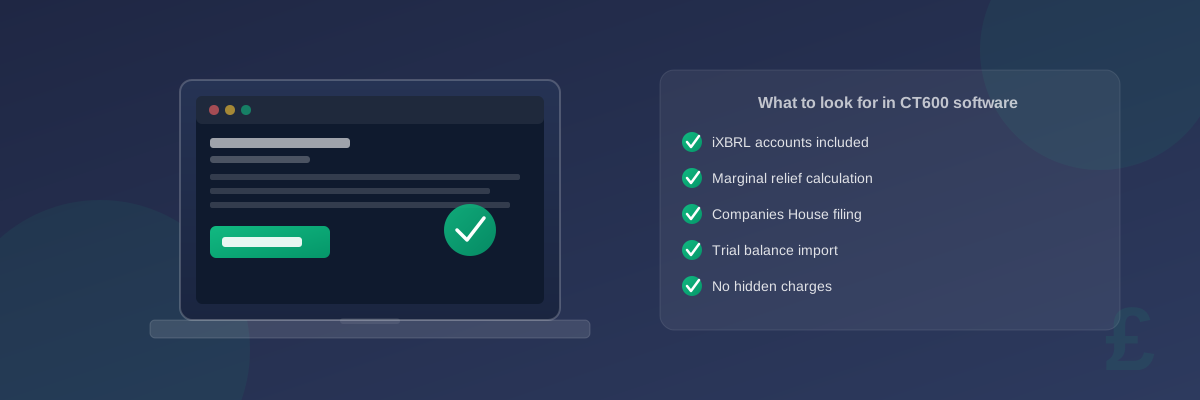
| iXBRL accounts included | Without this, you will need a separate accounts solution — often more expensive than the software itself |
| Marginal relief calculation | Required for companies with profits between £50,000 and £250,000 |
| Extended period handling | Needed when your accounting period exceeds 12 months — HMRC requires two separate CT600 returns |
| Companies House filing | If you need to file accounts at Companies House as well as HMRC, check whether this is included |
| Trial balance import | Speeds up data entry significantly if you use accounting software like Xero or QuickBooks |
| Amendment support | If you need to refile a return, is there an additional charge? |
Subscription vs Per-Filing Pricing
Software providers use two main pricing models:
Per-filing pricing — you pay each time you submit a return. This tends to work out cheaper for directors filing for a single company once a year.
Annual subscription — you pay a fixed annual fee regardless of how many returns you file. This is more cost-effective for accountants managing multiple clients.
For a broader comparison of pricing models and features across software providers, see our guide to CT600 software.
Hidden Costs to Watch Out For
When evaluating cheap software, look beyond the headline price:
iXBRL accounts as a paid add-on. Some tools advertise a low price for the CT600 but charge separately for accounts generation. Check whether accounts are included before comparing prices.
Companies House submission. Filing accounts at Companies House is often priced separately from the HMRC CT600 submission. If you need both, make sure you are comparing like-for-like.
Support charges. Some budget tools charge for email support or provide no support at all. If something goes wrong with your filing, will you be able to get help?
Amendment fees. If you submitted incorrect figures and need to refile, will you be charged again? Some providers treat amendments as a second submission.
Dormant vs trading pricing. Several tools price dormant company filings lower than trading company filings. If your company is dormant, you may qualify for a cheaper tier.
How to Evaluate "Cheapest" Properly
When comparing tools, focus on total cost of filing rather than the software subscription alone. This includes:
- Software cost — headline price, including accounts generation if needed
- Time cost — how long does the filing take? A tool that is harder to use or requires manual workarounds has a real cost, especially if you are not an accountant
- Error risk — incorrect filings can lead to amendments, HMRC correspondence, and in serious cases, financial penalties
- Scalability — if your company grows or your situation changes (marginal relief, associated companies, extended periods), will the software handle it without you needing to switch?
When Free Is Not Enough
Consider paid software if:
- Your company has profits in the marginal relief band (£50,000–£250,000) — the relief calculation is complex and errors create discrepancies with HMRC
- Your accounting period is longer than 12 months — this requires two CT600 submissions with apportioned figures, which not all budget tools handle correctly
- You are claiming capital allowances, R&D tax credits, or loss relief — these need to be correctly reported and cross-referenced between your accounts and return
- You want to file accounts at Companies House at the same time — an integrated solution reduces the risk of mismatched figures between submissions
Summary
The cheapest CT600 software depends on what your company needs to file. Free options exist for micro-entities and dormant companies. Budget paid tools cover most trading companies, but make sure iXBRL accounts, the relevant reliefs, and HMRC submission are all included before deciding on price alone.
For a full breakdown of what filing typically costs, see our guide to how much CT600 filing costs.