Export Trial Balance from QuickBooks for Your Company Tax Return
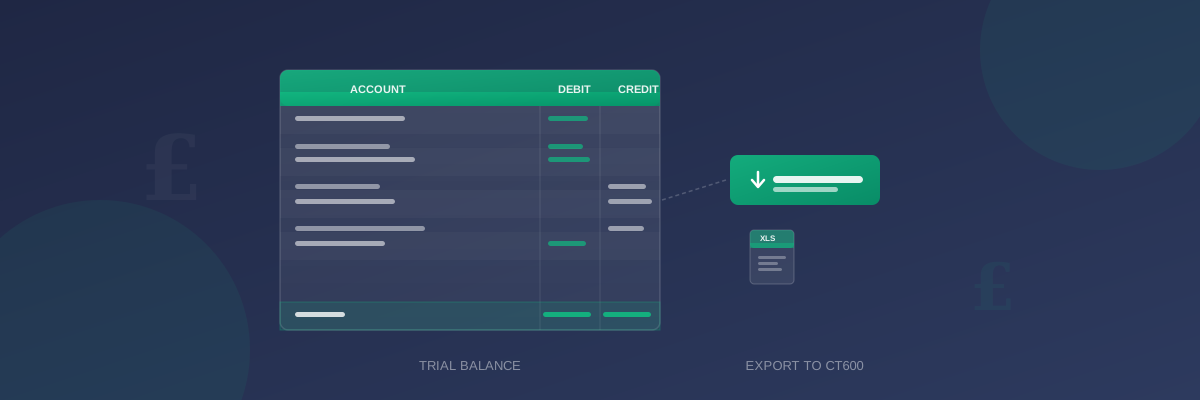
Your trial balance is the starting point for your company's corporation tax return. It lists every account in your books with its year-end balance, and those figures flow directly into your CT600. Exporting it correctly from QuickBooks Online is the first step to accurate corporation tax filing.
This guide explains exactly how to export your trial balance from QuickBooks Online, what to check before you export, and how to use the file to prepare your company tax return.
What Is a Trial Balance?
A trial balance is a report that lists every account in your chart of accounts alongside its debit or credit balance at a specific date. It is called a trial balance because it tests whether your accounts are in balance — total debits must equal total credits.
For corporation tax purposes, your trial balance provides:
- The income and expense totals that determine your taxable profit
- The asset and liability balances for your statutory accounts
- The figures your CT600 software uses to calculate your tax
Before You Export: Preparation Checklist
A trial balance is only as accurate as the data behind it. Before exporting, complete these checks in QuickBooks Online:
Reconcile all bank accounts to year end:
Unreconciled transactions mean your balance sheet will be incomplete.
- Go to Accounting in the left menu
- Select Reconcile
- Check each account is fully reconciled through your year end date
- Complete any outstanding reconciliations before proceeding
Run a P&L report for your full accounting period. Check for accounts with unusually high or low balances, miscategorised transactions, or duplicate entries. This takes a few minutes but can save significant time when filing.
Confirm opening balances:
If this is not your first year using QuickBooks, ensure your opening balances match last year's closing balances. Discrepancies here will cause your trial balance to be incorrect.
Post year-end adjustments:
Your accountant may need to post journals for depreciation, accruals, or prepayments before you export. Confirm with them that all year-end adjustments are complete and visible in QuickBooks.
How to Export Your Trial Balance from QuickBooks Online
Once your accounts are ready, exporting the trial balance takes just a few steps:
- Click Reports in the left-hand menu
- Type Trial Balance in the search field at the top of the Reports page
- Select Trial Balance from the list of results
- Set the From and To dates to cover your full accounting period — the To date should be your company's year end date
- Click the Export icon (the arrow pointing up from a tray, usually at the top right of the report)
- Select Export to Excel
Important: Ensure the date range covers your complete accounting period. If your year end is 31 March 2025, the report should run from the first day of your accounting year to 31 March 2025. A partial period will give you incomplete figures.
Understanding the QuickBooks Trial Balance Format
The exported file will contain columns for:
- Account name — the name of each account in your chart of accounts
- Debit — the debit balance at your year end date
- Credit — the credit balance at your year end date
Typical account categories you will see:
| Category | Typical Accounts |
|---|---|
| Income | Sales, Other income, Interest received |
| Cost of Sales | Materials, Direct labour, Subcontractors |
| Overheads | Wages, Rent, Utilities, Professional fees |
| Fixed Assets | Equipment, Vehicles, Fixtures |
| Current Assets | Bank, Trade debtors, Stock |
| Liabilities | Trade creditors, PAYE payable, VAT payable, Loans |
| Equity | Share capital, Retained earnings |
Common QuickBooks Export Issues
Trial balance does not balance: If total debits do not equal total credits, there is a journal entry error. Common causes include manually entered journals with unequal debits and credits, or incorrectly entered opening balances. Use Reports → Audit Log to trace recent changes.
Missing transactions: If balances look lower than expected, check whether all bank transactions have been categorised. Transactions waiting in the Banking feed are not included in reports until they are reviewed and accepted.
Wrong account categories: If turnover appears under liabilities or expenses appear under income, the account type needs correcting. Go to Chart of Accounts and update the type for any misclassified accounts.
Year-end journals not showing: If your accountant uses QuickBooks Accountant Access or a third-party tool to post journals, confirm those entries are visible in your QuickBooks before exporting. Ask your accountant to confirm the date the journals were posted.
Date range too short: A common mistake is setting the report date to just the last day of the period rather than the full period range. The trial balance report needs a start and end date — check both are set correctly.
Using Your Trial Balance for CT600 Filing
With your trial balance exported and verified, you can import it directly into CT600 preparation software to populate your company tax return.
TinyTax accepts QuickBooks trial balance exports and maps the accounts automatically:
- Open TinyTax and start your CT600 for the period
- Click Import Trial Balance in the Profit and Loss or Balance Sheet section
- Select your accounting software and upload the Excel file
- Review the automatic account mapping — check that turnover, cost of sales, and major expense categories are correctly matched
- Confirm the import to populate the CT600 fields
For a full checklist of everything you need to complete your company tax return, see our company tax return checklist.
Comparing QuickBooks to Other Accounting Software
QuickBooks Online is one of several accounting packages commonly used by UK limited companies. The trial balance export process is similar across most platforms, but the menu paths differ.
If you use Xero, the steps are slightly different — see our guide to the Xero year end CT600 checklist for the equivalent walkthrough. For a broader comparison of accounting software options, our best accounting software for UK companies guide covers the main options.
Summary
Exporting your trial balance from QuickBooks Online is straightforward once your accounts are reconciled and year-end adjustments are complete. Use Reports → Trial Balance → Export to Excel, ensuring the date range covers your full accounting period.
A clean, balanced trial balance is the foundation of an accurate company tax return. Import it into your CT600 preparation software to populate your return automatically and reduce the risk of manual data entry errors.