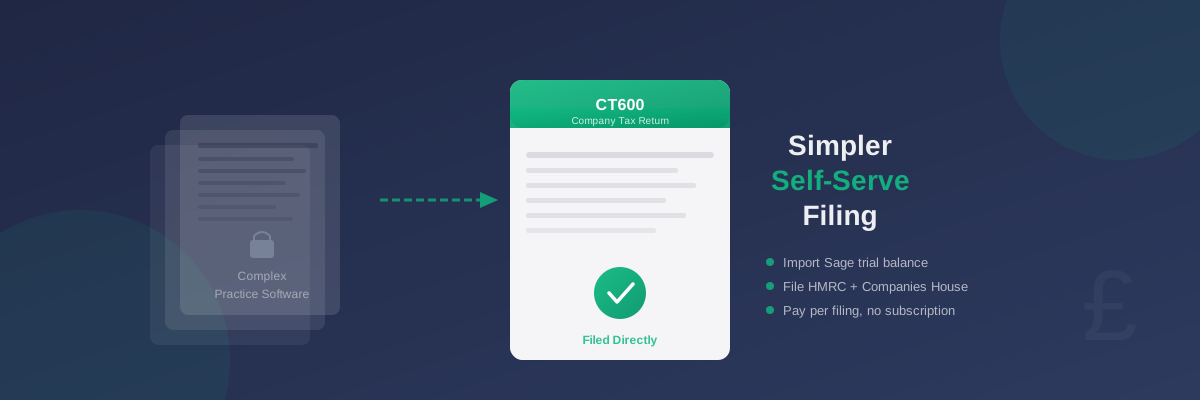
Sage CT600 Alternative: How to File Your Company Tax Return Without Specialist Software
Many UK company directors use Sage for their bookkeeping, but when it comes to filing their corporation tax return, they often find themselves searching for a different solution. Sage's accounting products are well-established, but the path from Sage accounts to a completed CT600 and Companies House filing can be more complicated — and expensive — than many directors expect.
This guide explains why directors look for alternatives and what to consider when choosing a tool for your company tax return.
Why Directors Look for Sage CT600 Alternatives
Sage offers several accounting products used by UK businesses, from cloud-based bookkeeping tools to specialist software used by accountancy practices. However, the CT600 filing workflow in Sage's products is generally designed for accountants rather than for directors filing on their own behalf.
Common reasons directors look for alternatives include:
- Cost: Sage's specialist CT600 and practice management products are priced for accountancy firms, not individual directors filing once a year
- Complexity: The software assumes knowledge of accounting concepts and HMRC filing procedures that most directors do not have
- Overkill: A full practice management platform is far more than a single director with one company needs
- Designed for accountants: Some Sage products are built to be used by an accountant on your behalf, rather than by you directly
What a Complete Company Tax Return Requires
Before choosing an alternative, it helps to understand exactly what is involved. A complete UK company tax return filing requires three things:
- A CT600 form submitted to HMRC — covering your company's profits and the resulting tax calculation
- iXBRL accounts submitted to HMRC alongside the CT600 — your accounts formatted in a specific digital tagging standard
- Annual accounts submitted to Companies House — required separately from the HMRC submission
What to Look for in a Sage CT600 Alternative
When comparing tools, look for these key capabilities:
Direct HMRC submission: The tool should connect to HMRC's Government Gateway and submit your CT600 on your behalf. Tools that only generate a document for you to upload manually add unnecessary steps.
Companies House filing: Your annual accounts must be filed with Companies House within 9 months of your accounting period end (for private limited companies). Look for a tool that handles this as part of the same workflow as the CT600 submission.
iXBRL accounts generation: HMRC requires company accounts in iXBRL format — a specific tagged digital format. The tool should generate these automatically from your financial data. You should not need separate accounts software.
Sage trial balance import: If you use Sage for your bookkeeping, you will want to export your trial balance and import it directly into the filing tool to avoid re-entering all your figures manually. See the step-by-step guide to exporting a trial balance from Sage for details of the export process.
Extended period handling: If your accounting period exceeds 12 months, HMRC requires two separate CT600 submissions. Some tools detect this automatically and handle the split for you; others require you to manage it manually with correct apportionment.
Support for your company type: Whether you are a trading company, a dormant company, or a micro-entity, the tool should handle your specific situation without requiring professional guidance to complete the filing.
Self-Serve vs Accountant-Assisted Options
Most CT600 tools fall into one of two categories, and the distinction matters when you are looking for a Sage alternative.
Self-serve platforms are designed for company directors to complete and file their own tax return. They guide you through each section in plain English, explain what each field means, and submit directly to HMRC and Companies House. These tools are typically cheaper and faster for directors with straightforward accounts who want to manage their own tax affairs.
Practice management software — which includes most of Sage's CT600 tools — is designed for accountancy firms managing multiple clients. These platforms assume professional accounting knowledge and are priced accordingly. They work well for practices, but the cost and complexity makes little sense for a single director filing once a year for their own company.
For most directors with straightforward accounts, a self-serve platform is the better choice.
Importing Your Sage Data
Switching from Sage does not mean re-entering all your financial figures. Most self-serve CT600 platforms accept a trial balance export from Sage, which automatically maps your account codes to the correct CT600 boxes.
The typical workflow is:
- Export your trial balance from Sage at your accounting period end date
- Import the exported file into your chosen CT600 filing tool
- Review the mapped figures and adjust any accounts that need reclassifying
- Complete the remaining sections of the CT600 form
- Submit to HMRC and Companies House
First-Year Companies
If your company was incorporated part-way through the year and your first accounting period runs longer than 12 months, HMRC requires two separate CT600 submissions — one for the first 12 months and one for the remainder. This is a common situation for new companies and easy to miss.
When evaluating a Sage CT600 alternative, check whether the tool detects extended periods automatically and handles the split on your behalf, or whether you have to manage the two filings and profit apportionment manually.
Dormant Companies
If your company is dormant — no trading activity, no income, no significant transactions — the CT600 filing is a nil return to HMRC alongside a set of dormant accounts for Companies House. You still need to file even if there is nothing to report.
Self-serve tools are particularly good value for dormant companies. Paying for specialist software or an accountant for a nil return is difficult to justify when the filing itself is straightforward and takes very little time.
Filing Deadlines
Your CT600 must be filed with HMRC within 12 months of your accounting period end. Your annual accounts must be filed with Companies House within 9 months of your period end (for private limited companies). Both HMRC and Companies House charge penalties for late filings.
For current deadlines and penalty rates, see GOV.UK's guidance on company tax returns and annual accounts requirements.
Comparing Your Options
When evaluating alternatives to Sage's CT600 tools, you will encounter products aimed at different audiences. Some, such as Digita, are professional practice platforms similar in approach to Sage's specialist software. For a closer look at how those tools compare for directors filing independently, see the TinyTax vs Digita comparison.
For directors who want to manage their own filing, the most relevant comparison is between self-serve platforms — tools built specifically for the director who wants to handle their own corporation tax return without relying on an accountant or practice management software.
Summary
If you use Sage for bookkeeping but need a simpler, more cost-effective way to file your CT600 and company accounts, a purpose-built self-serve platform is likely the right answer. Look for a tool that covers the complete filing — CT600, iXBRL accounts, and Companies House — accepts a Sage trial balance import, and charges per filing rather than via an annual subscription.
The right Sage CT600 alternative depends on your company's situation, but for directors with straightforward accounts, a self-serve tool built for that purpose is faster, cheaper, and easier than practice management software designed for professional use.